
Prepare School ID Card output with IDGenius Pro
Create consistent custom identity cards with reusable layouts, photos, structured data and production-ready output.
IDGenius Pro product
Create consistent custom identity cards with reusable layouts, photos, structured data and production-ready output.
Create consistent custom identity cards with reusable layouts, photos, structured data and production-ready output.
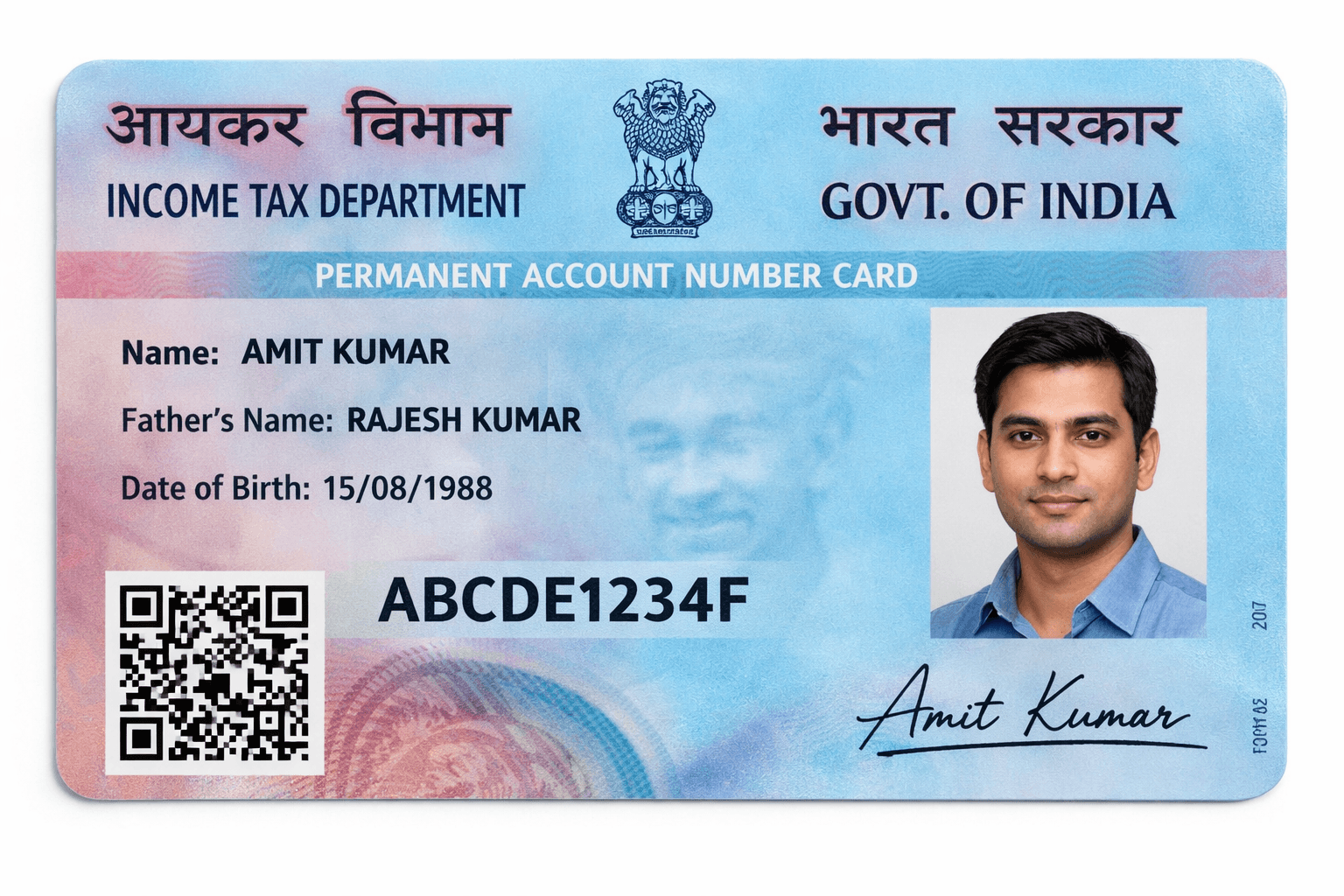
Create consistent custom identity cards with reusable layouts, photos, structured data and production-ready output.
Three-step process
Choose the supported customer file and let the dedicated module prepare the available document information for review.
Check the front and back, confirm the visible details and use the available layout settings before printing.
Select the configured card or sheet printer workflow and confirm the final print arrangement before output.
Compare related card modules, then review license pricing or download the Windows demo.
Create accurate front-and-back PVC ID card layouts with reusable templates, photo placement and printer-ready output.
View workflowHandle supported government cards, custom IDs, photo preparation and everyday PVC printing workflows in one Windows application.
View workflowVideo walkthroughs
See the complete upload, preview and print workflow.
Watch PAN data become a controlled printable layout.
A quick guide to preparing output for your printer.
Frequently asked questions
Yes. Supported workflows provide a preview before the operator confirms the final printer output.
Start with the Windows demo and see how IDGenius Pro makes every card ready in one click.